📖 Lesson content
Video
How Claude Code Works
Claude Code is different from typical chat applications. Understanding how it works under the hood will help you use it more effectively.
The Agentic Loop
Claude Code is best explained through the agentic loop:
- You enter a prompt into Claude Code.
- Claude gathers the context it needs by interacting with the model, which returns text or a tool call that Claude Code can execute.
- It takes action — for example, editing a file or running a command.
- It verifies the results and determines whether they achieve what your prompt set out to do.
- If they do, Claude finishes and waits for the next prompt. If they don't, it loops back and tries again until the results are complete and verifiable.
Throughout this loop, you can add context, interrupt, or steer the model to help guide it toward your goal.
Context
Claude has a context window that determines how much of your conversation, file contents, command outputs, and more it can store and reference. Once you reach that limit, Claude Code compacts your conversation — automatically determining what it can remove or summarize to bring the context window back down to a usable size.
Tools
Tools are the backbone of how agents work. Most AI assistants simply take text in and return text out. Tools let Claude Code determine when to execute code to get closer to completing a task. This could be a file-reading tool, a web search tool, or any number of other capabilities. Claude Code uses semantic understanding to determine when to call a tool and how to use the output.
Permissions
Claude Code has several permission modes:
- Default behavior: Claude asks for explicit permission before editing a file or running a shell command.
- Auto-accept: Files are edited without asking, but commands still require approval.
- Plan mode: Uses read-only tools to compile a plan of action before starting any work.
You can switch between modes with Shift + Tab:
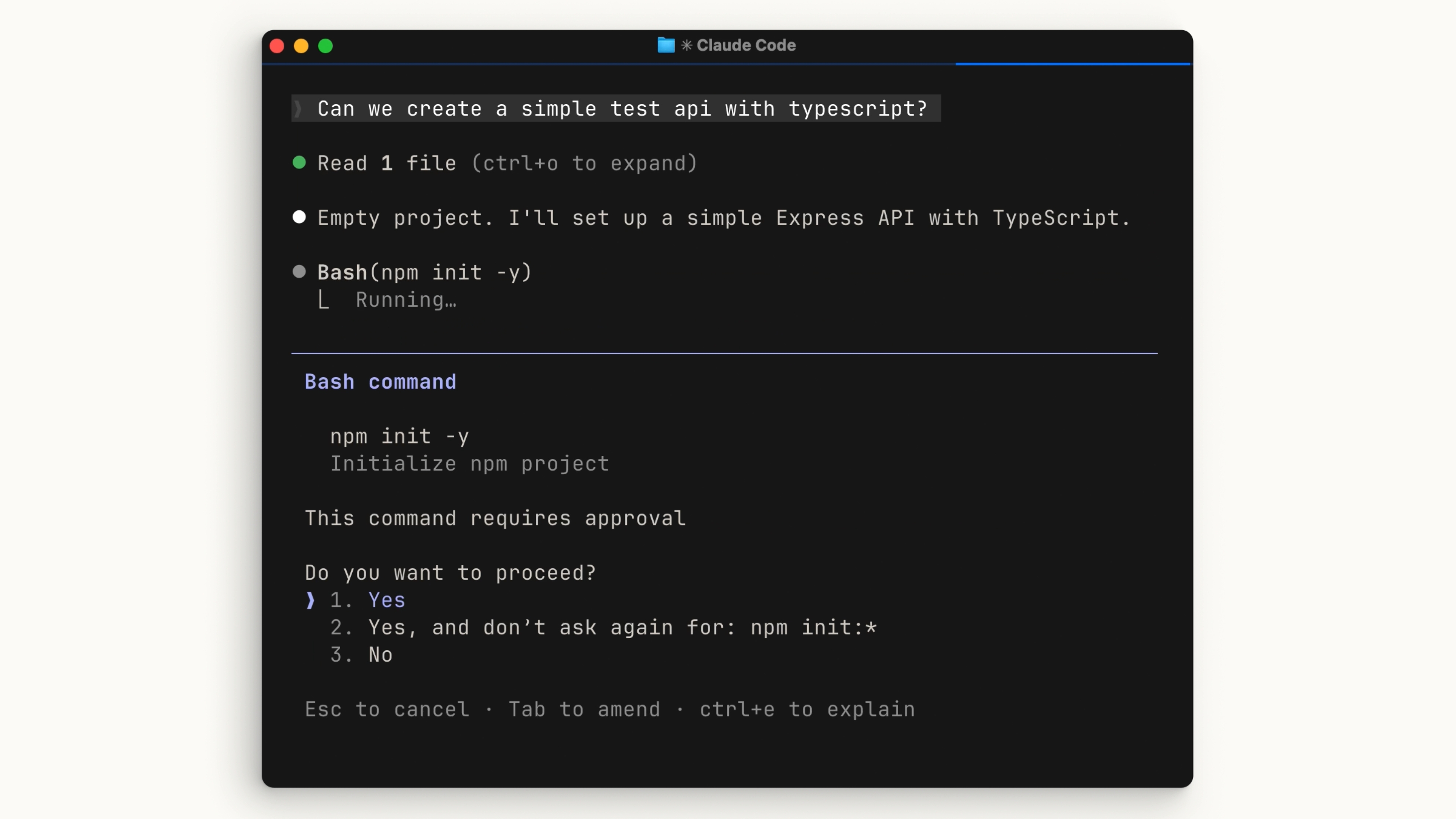
All of this can be configured in your settings file. Be cautious when skipping permissions — giving Claude Code free rein to run commands means a mistake could be harder to catch before it happens.
Recap
Claude Code combines several agentic concepts: an agentic loop, a managed context window, tools, and configurable permissions — all inside your terminal. It can read your codebase, take action, and verify its own work. That's what makes it fundamentally different from a chat window.
🎬 Video transcript
Source video:
6bs5b4FltCU
📜 Click to expand transcript (cleaned + AI-translated)
Introduction to Claude Code and the Agentic Loop
Claude Code is fundamentally different from usual chat applications. It is best explained through the agentic loop. When you enter a prompt into Claude Code, the system initiates a cycle designed to complete complex tasks autonomously.
The Step-by-Step Process
- Gathering Context: Claude Code gathers the context required to complete your prompt.
- Model Interaction: It interacts with the model, which returns either text or a tool call that Claude Code can execute.
- Taking Action: It performs the necessary action, such as editing a file or running a terminal command.
- Verification: Finally, it verifies those results and determines if they achieve what your prompt set out to do in the first place.
If the results are successful, Claude finishes and waits for the next prompt. If they are not, Claude goes back and runs the loop again until the results are complete and verifiable. Throughout this loop, you are able to add context, interrupt the process, or steer the model to help guide it toward your end goal.
Context Management and Compaction
Claude has a context window which determines how much of your conversation, file contents, and command outputs it can store and look back on. Once you reach that limit, Claude Code "compacts" your conversation. This process automatically determines what can be removed from the context window and what can be summarized in order to bring the context window usage back down.
The Role of Tools in Agentic Workflows
Tools are the backbone of how agents work. Currently, most AI assistants are simply "input text and output text" with nothing in between. Tools allow Claude Code and other agents to determine when to execute code to get closer to a task. Examples include the read_file tool or a search_web tool. Claude Code uses semantic searching to determine when to call a tool and how to process the output.
Permission Modes and Safety
Claude Code includes configurable permission modes to balance speed and safety:
- Default Mode: Claude must ask for explicit permission before editing a file or running a shell command.
- Auto-accept Mode: Claude edits files without asking but still requests permission for shell commands.
- Plan Mode: This mode uses read-only tools to help compile a plan before starting any execution.
You can use Shift + Tab to toggle between these different modes. It is worth being cautious when skipping permissions; giving Claude Code free reign to run commands means a mistake could be harder to catch before it happens.
Conclusion: A New Paradigm for Development
Claude Code works by combining different agent concepts—an agentic loop, a managed context window, tools, and configurable permissions—directly into your terminal. Because it can read your codebase, take action, and verify its own work, it is fundamentally different from a standard chat window.
🔁 Related lessons
- Next: Installing Claude Code
- Previous: What is Claude Code?
- Same section: What is Claude Code?
- Part of paths: Path C
- Reference docs: Glossary · Skills atlas · By use-case
📚 Source & attribution
- Original Anthropic Academy lesson: https://anthropic.skilljar.com/claude-code-101/469789
- © 2025 Anthropic. Educational fair-use only.