📖 Lesson content
Summary
A coding assistant is more than just a tool that writes code - it's a sophisticated system that uses language models to tackle complex programming tasks. Understanding how these assistants work behind the scenes will help you appreciate what makes a truly powerful coding companion.
How Coding Assistants Work
When you give a coding assistant a task, like fixing a bug based on an error message, it follows a process similar to how a human developer would approach the problem:
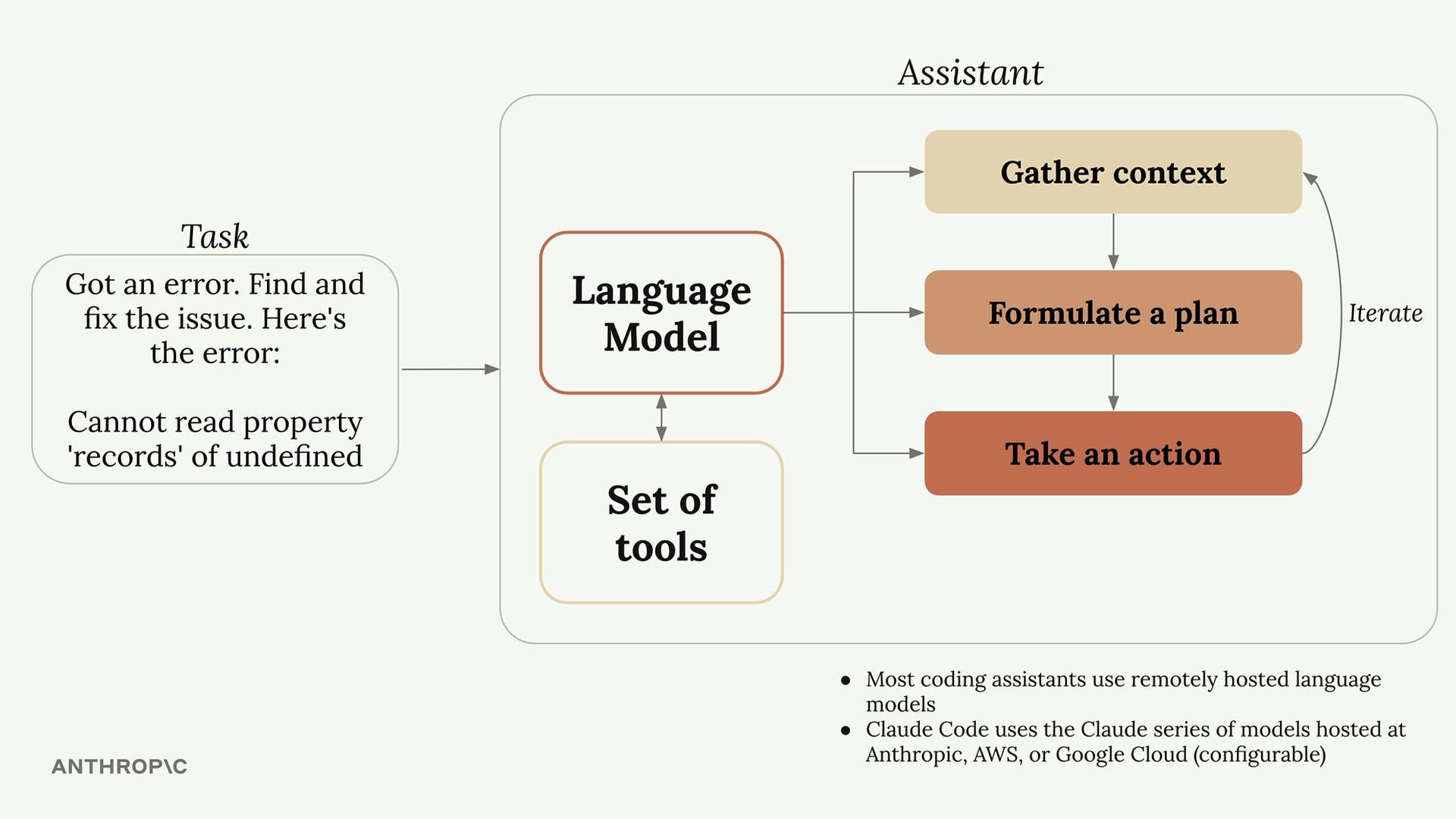
- Gather context - Understanding what the error refers to, which part of the codebase is affected, and what files are relevant
- Formulate a plan - Deciding how to solve the issue, such as changing code and running tests to verify the fix
- Take action - Actually implementing the solution by updating files and running commands
The key insight here is that the first and last steps require the assistant to interact with the outside world - reading files, fetching documentation, running commands, or editing code.
The Tool Use Challenge
Here's where things get interesting. Language models by themselves can only process text and return text - they can't actually read files or run commands. If you ask a standalone language model to read a file, it will tell you it doesn't have that capability.
So how do coding assistants solve this problem? They use a clever system called "tool use."
How Tool Use Works
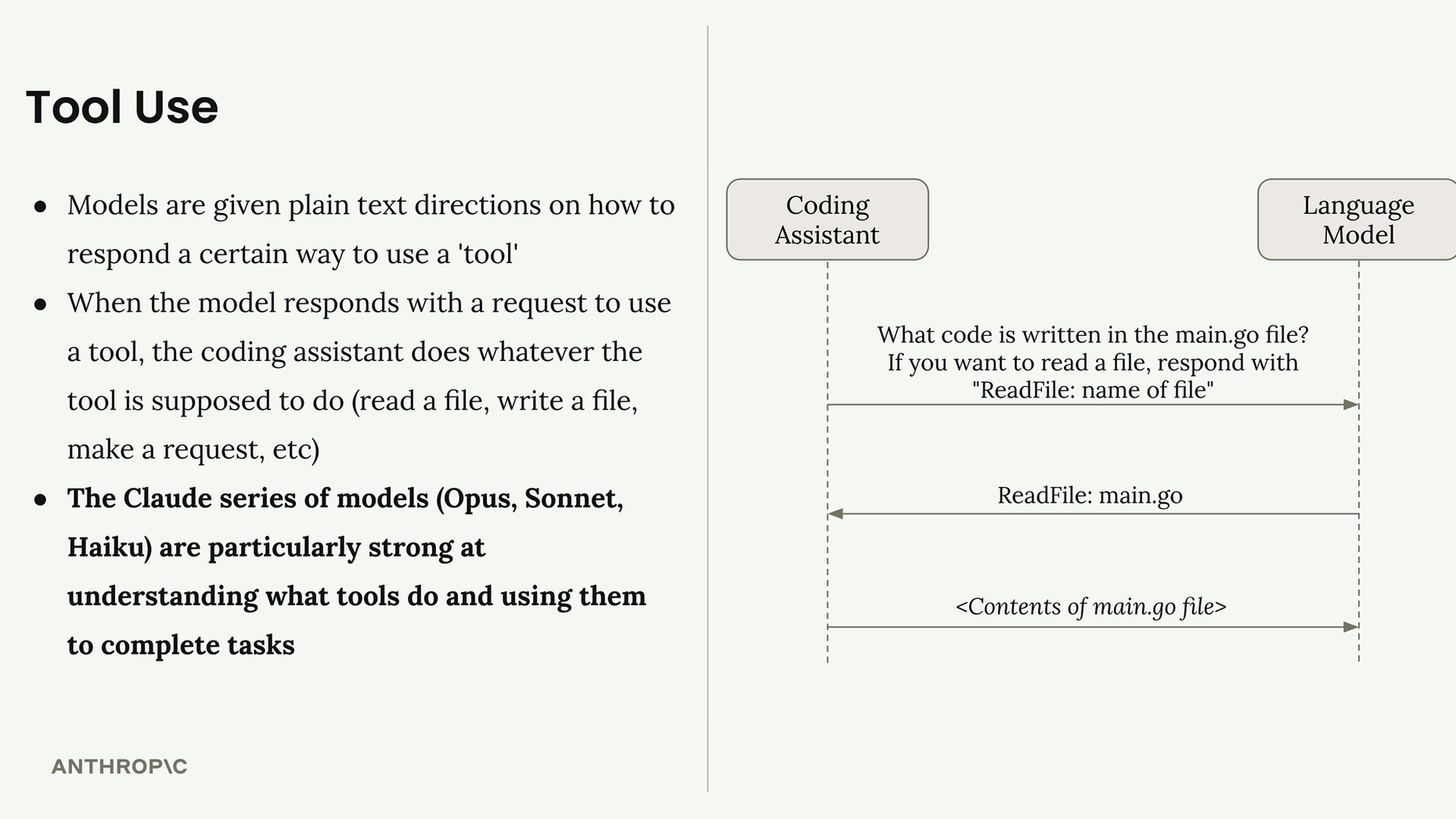
When you send a request to a coding assistant, it automatically adds instructions to your message that teach the language model how to request actions. For example, it might add text like: "If you want to read a file, respond with 'ReadFile: name of file'"
Here's the complete flow:
- You ask: "What code is written in the main.go file?"
- The coding assistant adds tool instructions to your request
- The language model responds: "ReadFile: main.go"
- The coding assistant reads the actual file and sends its contents back to the model
- The language model provides a final answer based on the file contents
This system allows language models to effectively "read files," "write code," and "run commands" even though they're really just generating carefully formatted text responses.
Why Claude's Tool Use Matters
Not all language models are equally good at using tools. The Claude series of models (Opus, Sonnet, and Haiku) are particularly strong at understanding what tools do and using them effectively to complete complex tasks.
This strength in tool use provides several key benefits for Claude Code:
Benefits of Strong Tool Use
- Tackles harder tasks - Claude can combine different tools to handle complex work and will use tools it hasn't seen before
- Extensible platform - You can easily add new tools to Claude Code, and Claude will adapt to use them as your workflow evolves
- Better security - Claude Code can navigate codebases without requiring indexing, which often means not sending your entire codebase to external servers