📖 Lesson content
Summary
Routing workflows solve a common problem in AI applications: different types of user requests need different handling approaches. Instead of using a one-size-fits-all prompt, you can categorize incoming requests and route them to specialized processing pipelines.
The Problem with Generic Prompts
Consider a social media marketing tool that generates video scripts from user topics. A user might enter "programming" or "surfing" as their topic, but these should produce very different types of content:
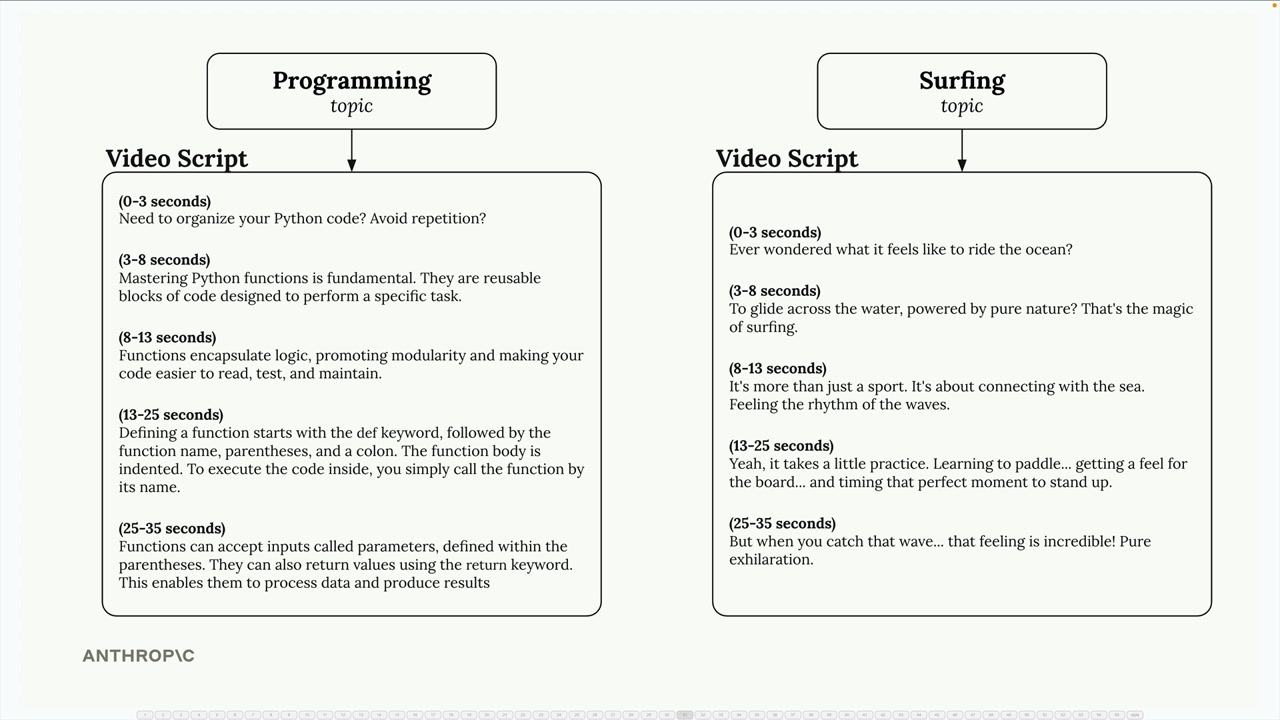
Programming topics call for educational content with clear explanations and definitions. Surfing topics work better with entertainment-focused scripts that emphasize excitement and visual appeal. A single generic prompt can't handle both effectively.
Setting Up Content Categories
The first step is defining the different types of content your application might need to generate. You might categorize requests into genres like:
- Entertainment - High-energy, culturally relevant content with trendy language
- Educational - Clear, engaging explanations with relatable examples
- Comedy - Sharp, unexpected content with clever observations and timing
- Personal vlog - Authentic, intimate content with conversational storytelling
- Reviews - Decisive, experience-based content highlighting strengths and weaknesses
- Storytelling - Immersive content using vivid details and emotional connection
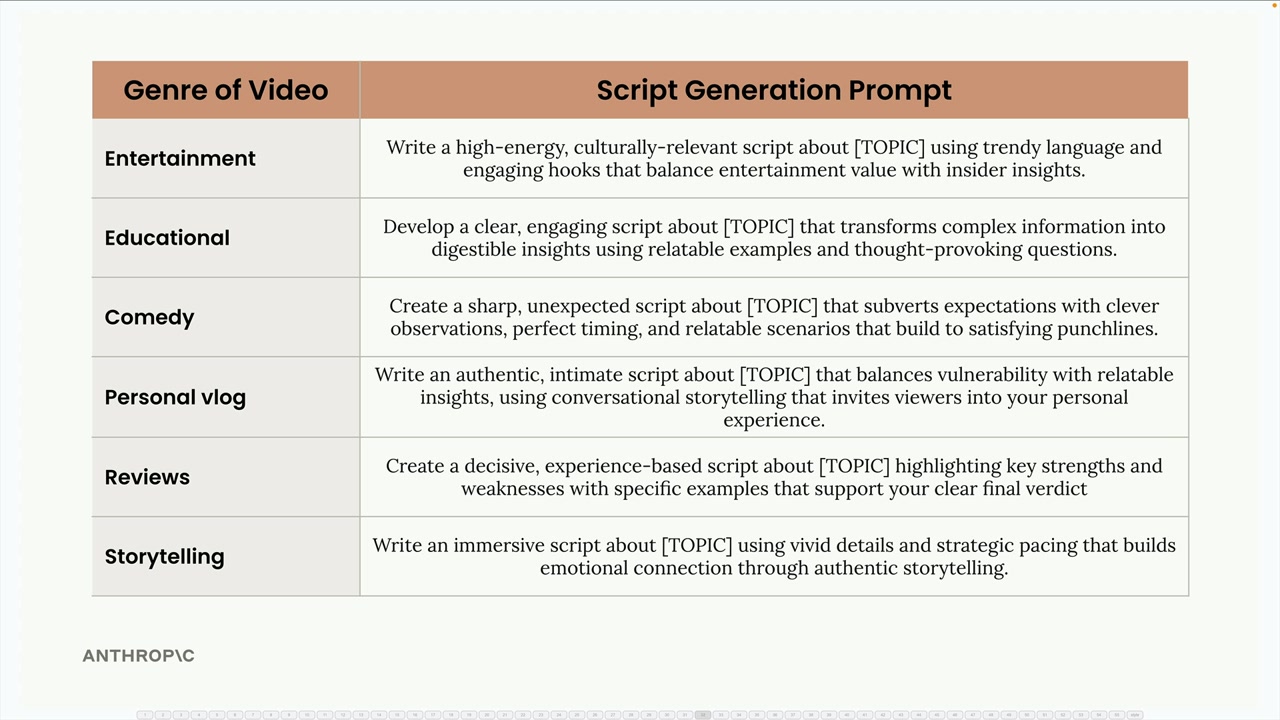
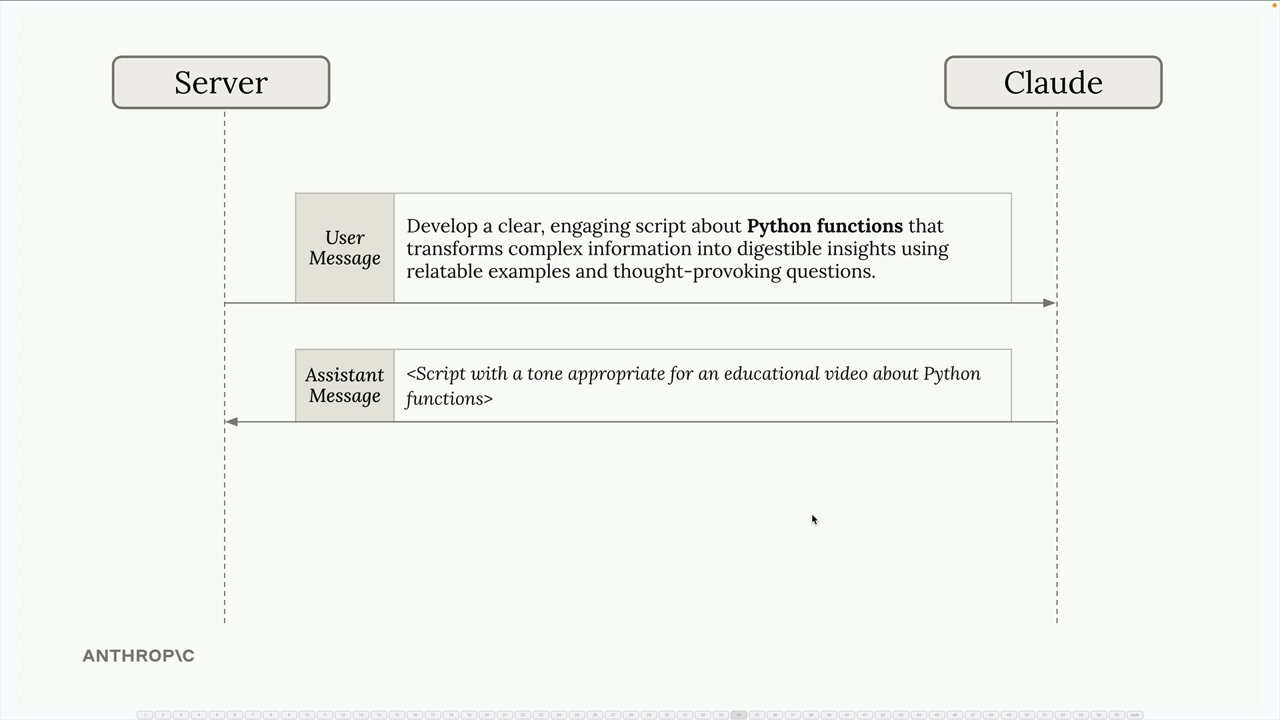
Each category gets its own specialized prompt template. For example, the educational prompt might ask Claude to "develop a clear, engaging script that transforms complex information into digestible insights using relatable examples and thought-provoking questions."
How Routing Works in Practice
The routing process happens in two steps:
- Categorization - Send the user's topic to Claude with a request to categorize it into one of your predefined genres
- Specialized Processing - Use the category result to select the appropriate prompt template and generate content
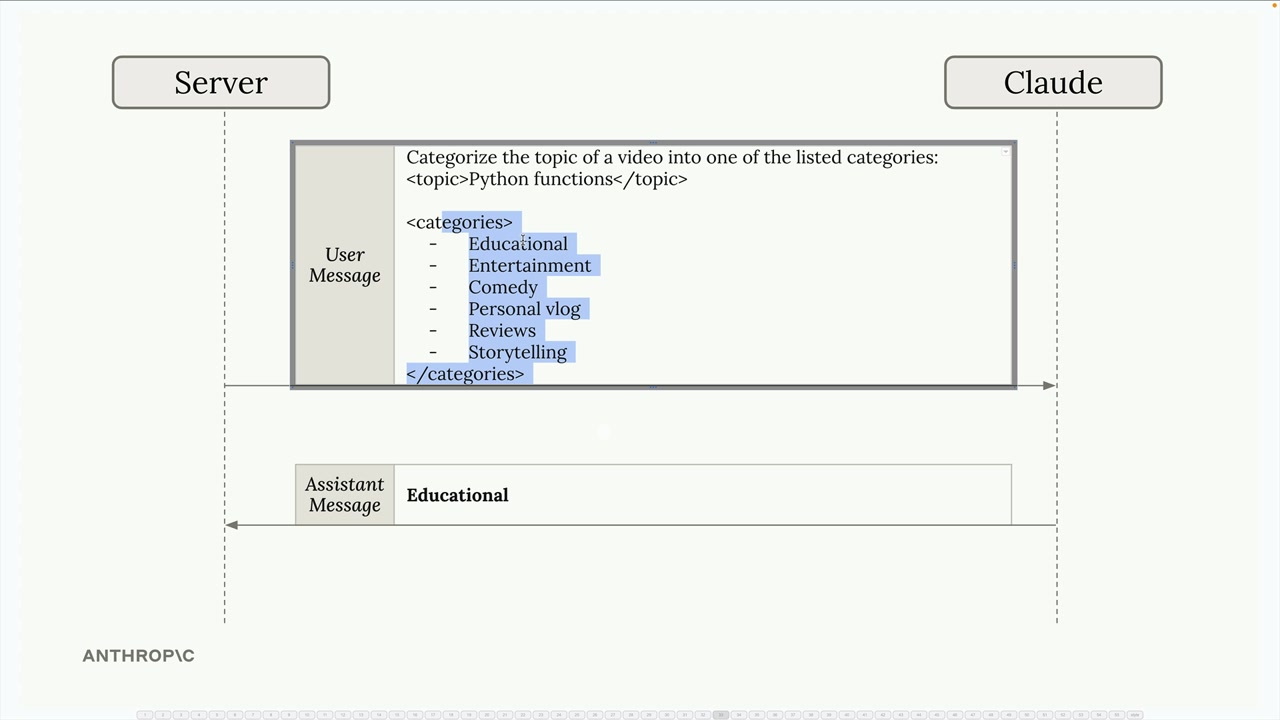
For example, if a user enters "Python functions" as their topic, you'd first ask Claude to categorize it:
Categorize the topic of a video into one of the listed categories:
<topic>Python functions</topic>

<categories>
- Educational
- Entertainment
- Comedy
- Personal vlog
- Reviews
- Storytelling
</categories>
Claude responds with "Educational", so you then use the educational prompt template to generate the actual script content.
Routing Workflow Architecture
A routing workflow follows this pattern:
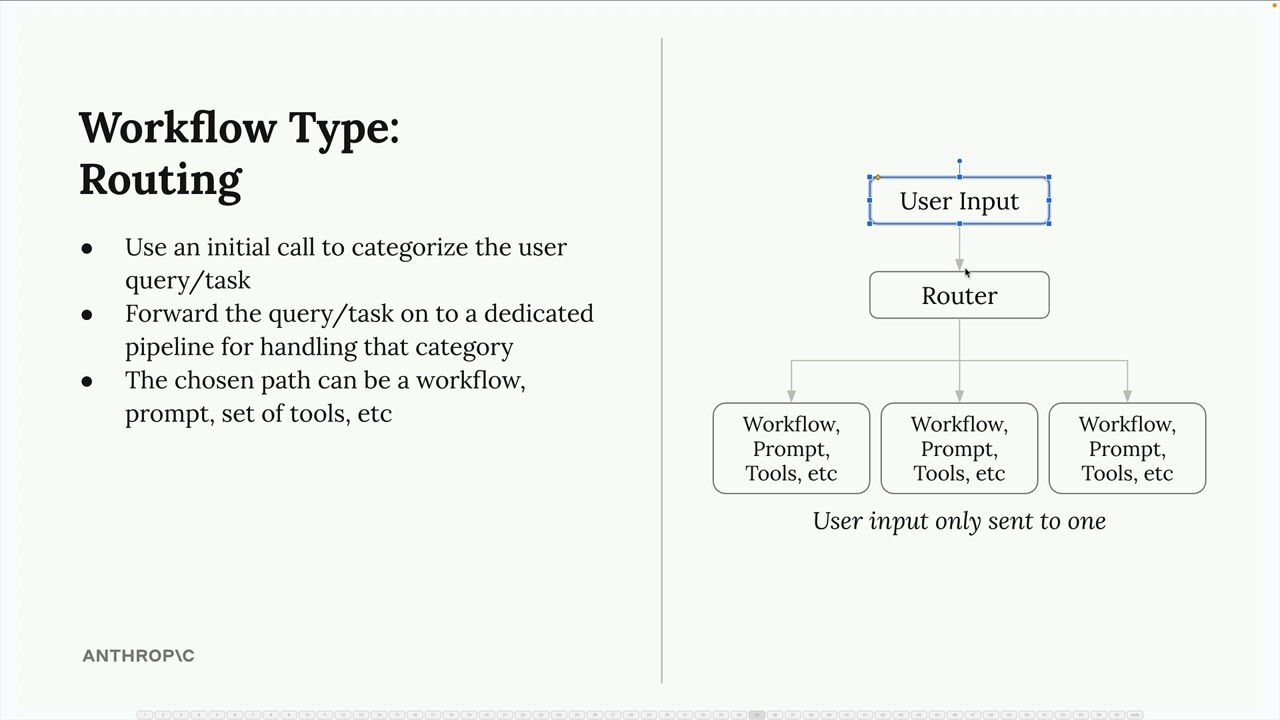
- User input goes to a router component first
- The router categorizes the request using an initial Claude call
- Based on the category, the input gets forwarded to one specific processing pipeline
- Each pipeline can have its own workflow, prompts, or tools optimized for that category
The key insight is that user input only goes to one specialized pipeline, not all of them. This allows each pipeline to be highly optimized for its specific use case.
When to Use Routing
Routing workflows work well when:
- Your application handles diverse types of requests that need different approaches
- You can clearly define categories that cover your use cases
- The categorization step can be handled reliably by Claude
- The performance benefit of specialized processing outweighs the overhead of the routing step
This pattern is especially valuable for customer service bots, content generation tools, and any application where the "right" response depends heavily on understanding the type of request being made.
🔁 Related lessons
- Next: Agents and tools
- Previous: Chaining workflows
- Same section: Making a request · Multi-Turn conversations · Chat exercise
- Part of paths: Path C
- Reference docs: Glossary · Skills atlas · By use-case
📚 Source & attribution
- Original Anthropic Academy lesson: https://anthropic.skilljar.com/claude-with-the-anthropic-api/287801
- © 2025 Anthropic. Educational fair-use only.