📖 Lesson content
Summary
We're going to build a CLI-based chatbot to better understand how MCP clients and servers work together. This hands-on project will give you practical experience with both sides of the MCP architecture.
What We're Building
Our chatbot will allow users to interact with a collection of documents through a command-line interface. The system consists of two main components:
- An MCP client that handles user interactions
- A custom MCP server that manages document operations
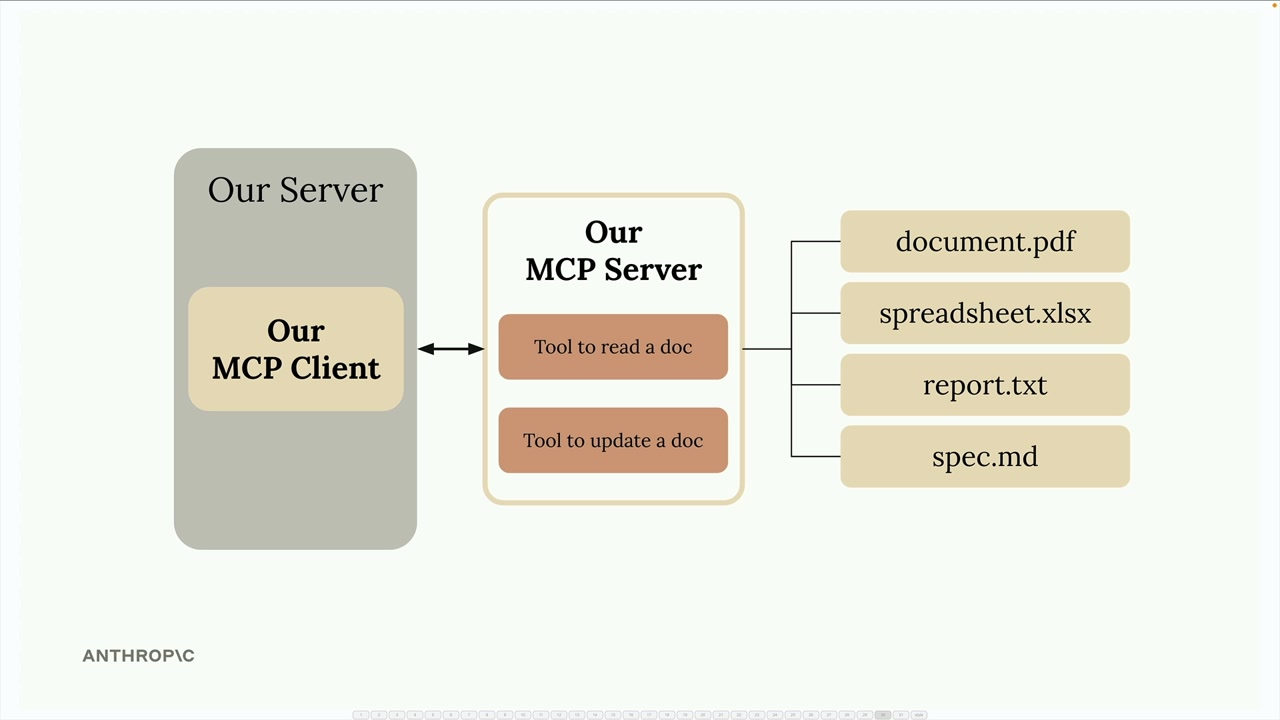
The server will provide two essential tools: one for reading document contents and another for updating them. All documents will be stored in memory for simplicity - no database required.
Important Architecture Note
In real-world projects, you typically implement either an MCP client or an MCP server, not both. You might create:
- An MCP server to expose your service to other developers
- An MCP client to connect to existing MCP servers
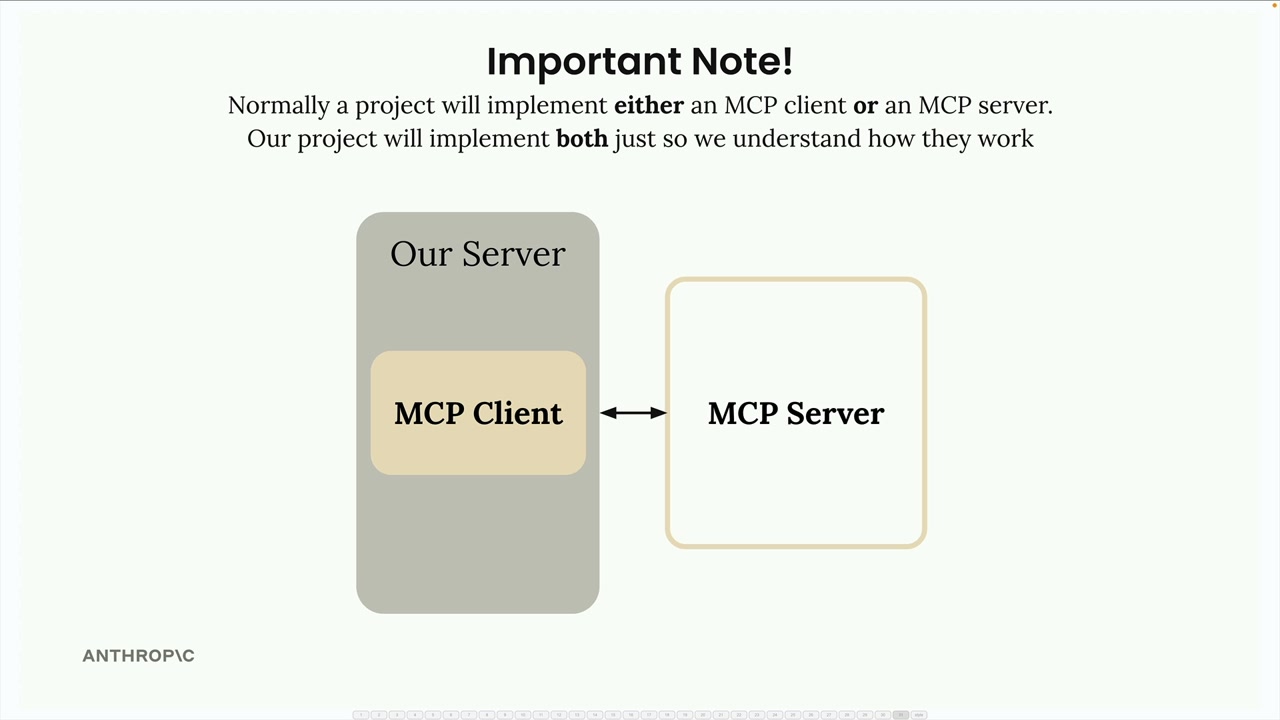
We're building both components in this project purely for educational purposes - to understand how they communicate and work together.
Project Setup
Download the cli_project.zip file attached to this lesson and extract it to your preferred development directory. Open your code editor in the project folder.
The project includes a comprehensive README file with setup instructions. Follow these steps:
- Add your Anthropic API key to the
.envfile - Install dependencies using either UV (recommended) or pip
- Run the starter application to verify everything works
Running the Application
Navigate to your project directory in the terminal. You'll see the main project files including main.py, mcp_client.py, and mcp_server.py.
To start the application, use one of these commands:
uv run main.py

python main.py
When the application starts successfully, you'll see a chat prompt. Test it by asking a simple question like "what's 1+1?" - you should get a quick response from Claude.
With the basic setup complete, we're ready to start implementing MCP features and exploring how clients and servers communicate through the Model Control Protocol.
Downloads
🔁 Related lessons
- Next: Defining tools with MCP
- Previous: MCP clients
- Same section: Making a request · Multi-Turn conversations · Chat exercise
- Part of paths: Path C
- Reference docs: Glossary · Skills atlas · By use-case
📚 Source & attribution
- Original Anthropic Academy lesson: https://anthropic.skilljar.com/claude-with-the-anthropic-api/287785
- © 2025 Anthropic. Educational fair-use only.